
Integrations
Works with the tools you already use.
Keep your tools. Bellvox comes to them, so what a customer asks lands where your team already works.
Build it and talk to it free for 3 minutes. No card. Pay only when it goes live.
Everything Bellvox works with






- ChannelsWhatsApp, Instagram and Messenger, plus calls, texts and website chat.
- CalendarsGoogle Calendar, Outlook, Calendly, Cal.com and Acuity Scheduling.
- Customer recordsHubSpot, Salesforce, Pipedrive, Zoho CRM and GoHighLevel.
- Your team and moreSlack, Google Sheets, Gmail, Notion, Zendesk, QuickBooks and more.
Connect in a few clicks.
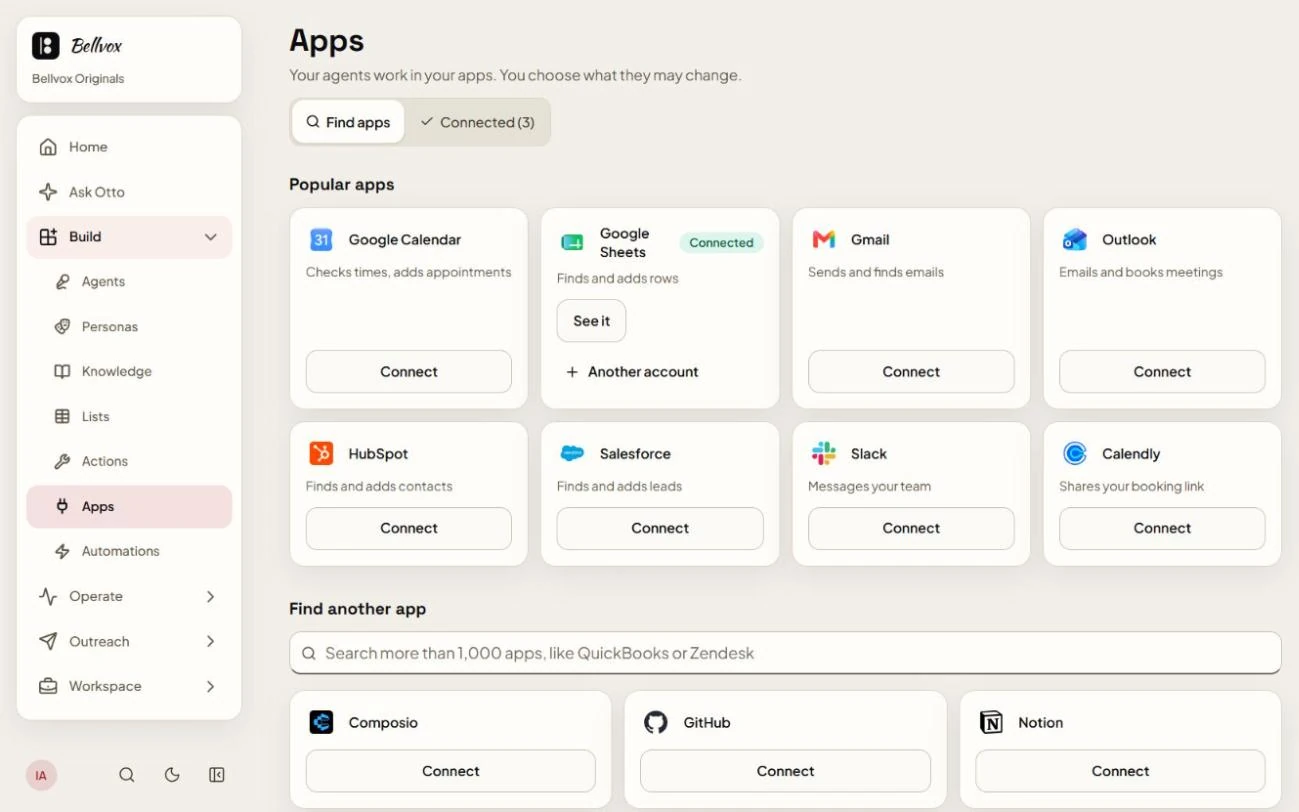
It all happens on one page in Bellvox: Apps.
Open Apps
In Bellvox, open Apps from the menu.
Press Connect
Pick your app, press Connect and sign in to it once.
Choose what it may change
Your agent only changes what you allow.
Some apps need a one-time setup first. We do it with you.
Example
One chat. The paperwork, done.
Here’s what can happen after a single WhatsApp chat. Your agent books the visit, saves the customer, tells your team and keeps the record. You choose which of these it does.
 Yasmin FathyWhatsApp
Hi, do you have an appointment tomorrow evening?
Yes! 6:00 or 7:30 pm tomorrow. Which works for you?
7:30 please!
Done ✓ You’re booked for 7:30 pm tomorrow. See you then!
 Google CalendarAppointment addedYasmin FathyTomorrow · 7:30 pm
 HubSpotContact savedYasmin FathyFrom WhatsApp
Asked for an evening visit. Booked for tomorrow at 7:30 pm.
 SlackMessage to your team
#front-desk
New booking from WhatsApp: Yasmin Fathy, tomorrow at 7:30 pm.
 Google SheetsRow added
Channel Name Status Time WhatsApp Yasmin Fathy Booked 7:30 pm  GmailEmail sent
Your visit is bookedTo: Yasmin Fathy
See you tomorrow at 7:30 pm.
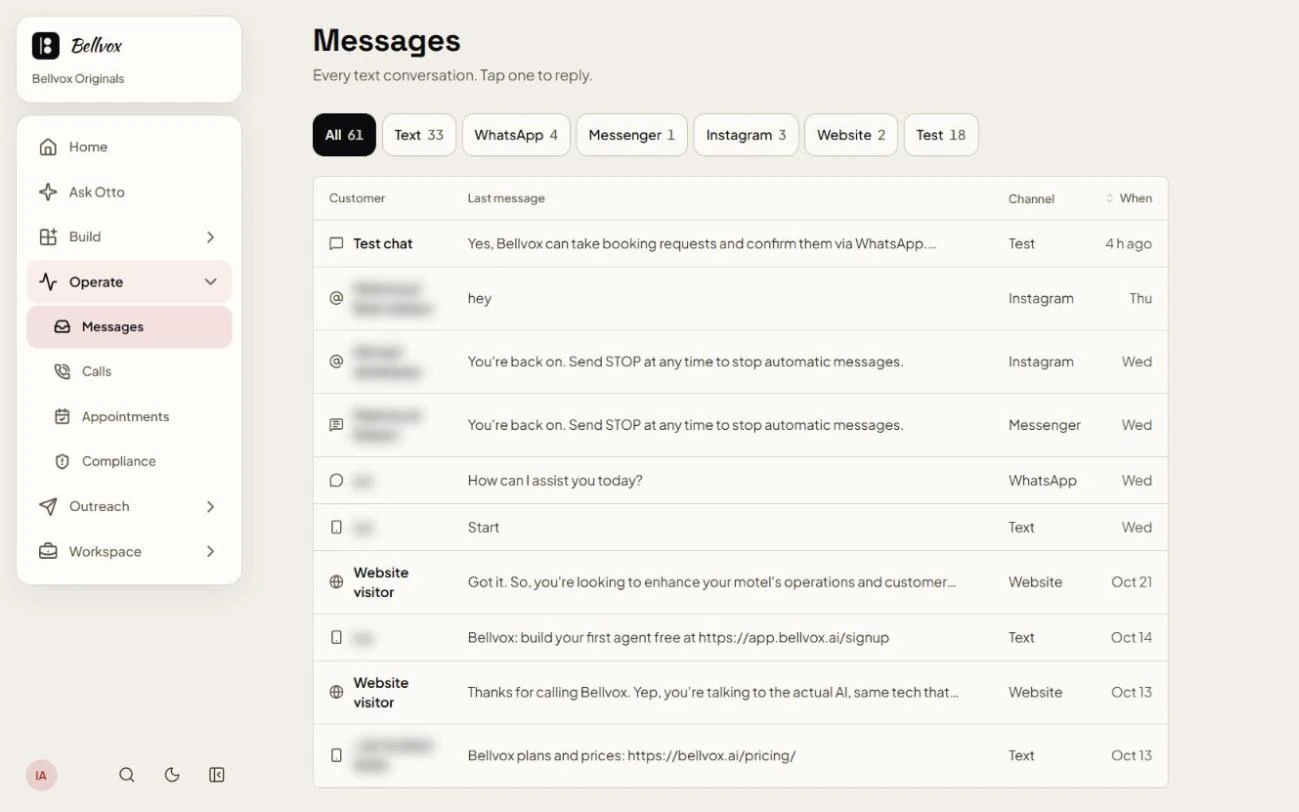
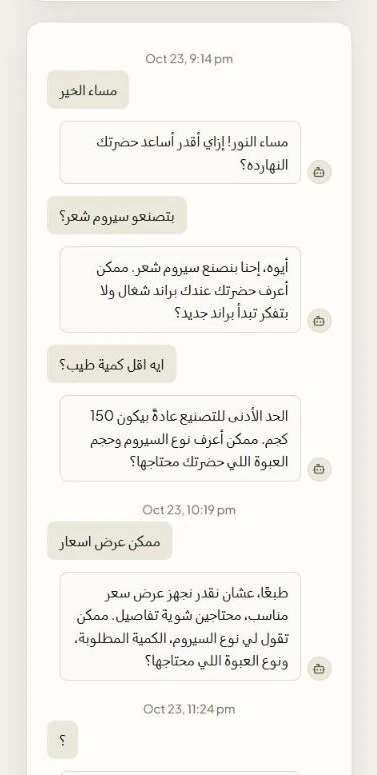
Where your customers reach you.
One agent answers all of them. Texts, WhatsApp and chats land in one inbox, and your team can step in anytime.
- Phone calls
- Messenger
- Texts (SMS)
- Website chat
Which plans answer them
US texting and WhatsApp need a one-time setup, done with you.
And over 600 more apps.
On the Growth plan and up: online shops, payments, accounting, forms, support desks and more.
 Notion
 Zendesk
- QuickBooks
 Shopify
 WooCommerce
 Stripe
 Xero
 Mailchimp
 Typeform
 Google Forms
 Trello
 Airtable
 Microsoft Teams
 Zoom
 Google Drive
Have your own system? Webhooks and an API come with Growth too.
Don’t see yours?Ask us
Questions
How do I connect an app?
In Bellvox, open Apps, pick the app and press Connect. Sign in to it once, then choose what your agent may change.
Can it change things I don’t want it to?
You decide. For each app you connect, you choose what your agent may change.
Is there anything to set up first?
Some apps need a one-time setup, and we do it with you. Texting US numbers needs a one-time carrier registration, and WhatsApp needs a sender. We set up both with you.
Which plan do I need?
Over 600 apps, plus webhooks and an API, come with the Growth plan and up: Growth or Pro with calls, or Chat Growth or Chat Pro on Messages only.
My app isn’t on the list. What now?
Ask us. Talk to Sales and tell us which app you use.
Connect Bellvox to your business.
Build your agentBuild it and talk to it free for 3 minutes. No card. Pay only when it goes live.